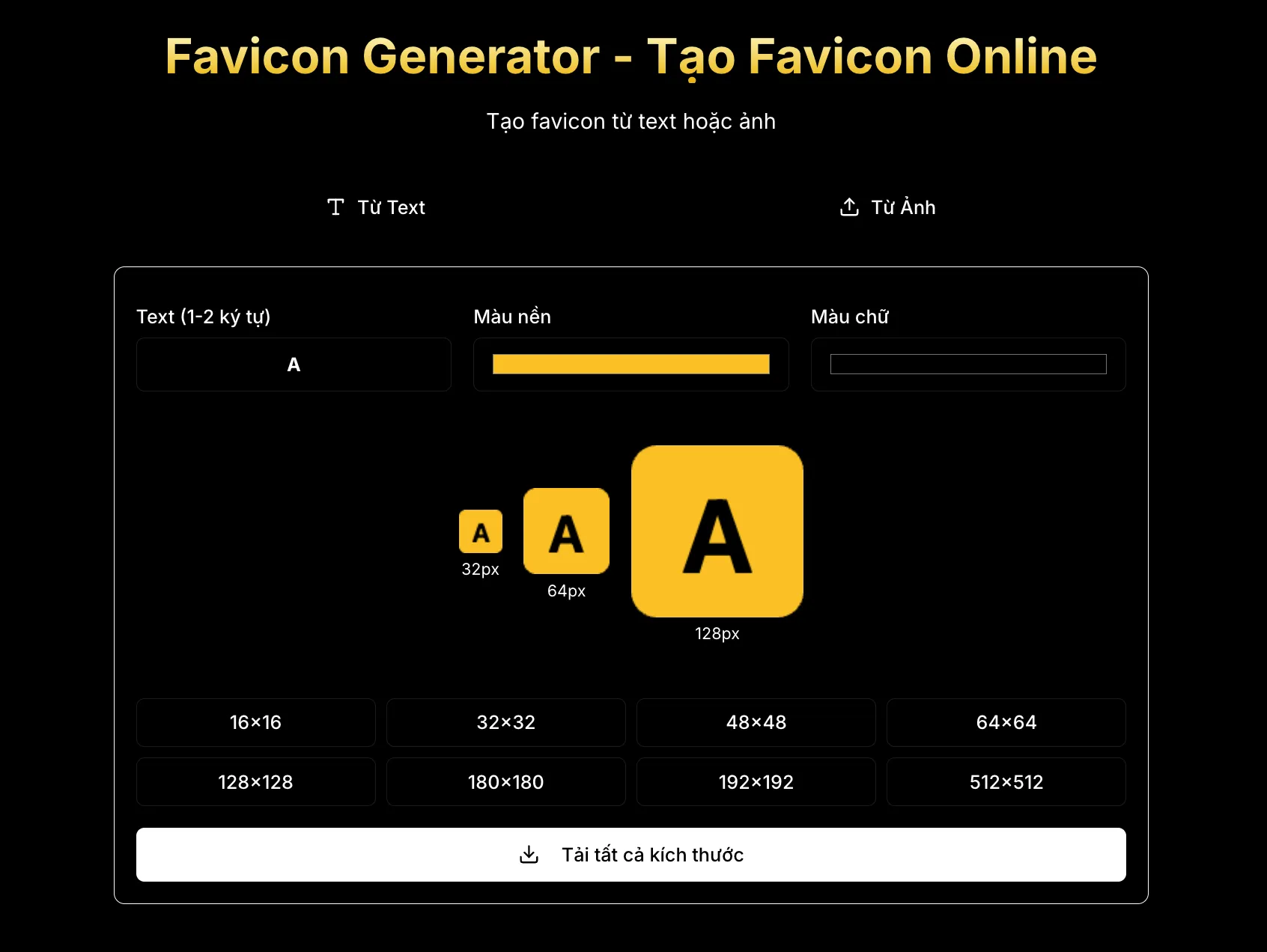
In the context of the modern web ecosystem becoming increasingly complex with the diversity of terminals and browser platforms, a small element like a favicon is no longer simply a decorative image file. According to experts at Tan Phat Digital, favicons, or "favorites", have evolved into a core component of digital brand architecture, serving as the first and constant visual touchpoint between users and products online. From its humble beginnings with Internet Explorer 5 in 1999 as a 16x16 pixels icon next to bookmarked pages, favicons have now become a multi-format system, supporting everything from computer browser tabs to smartphone home screens, smart car dashboards and even Google search results. This change requires web developers and architects to take a comprehensive view, going beyond just creating a beautiful image but also optimizing for technical aspects, performance and accessibility.
The Strategic Importance of Favicons in the Digital Age
Implementing a complete favicon system brings strategic values that go beyond mere aesthetics. It directly impacts the three main pillars of a successful web project: brand identity, user experience (UX) and search engine optimization (SEO).
Brand Identity and User Psychographics
In an environment where users often have dozens of browser tabs open at the same time, the favicon serves as the only visual "anchor" that helps them locate the website when the page title is obscured. A professionally designed favicon not only helps increase brand recognition but also creates a feeling of trust and attention to detail in the website owner. When a user saves a web page to the phone's home screen, the favicon converts into an app icon, blurring the line between web and native apps, thereby increasing the frequency of user interactions. The consistency of a favicon across all digital touchpoints—from browser tabs to browsing history to bookmark lists—reinforces a brand's presence in users' minds in a lasting way.
SEO Impact and Click-through Rate (CTR)
While favicons are not a direct ranking factor in search algorithms, Google and major search engines have integrated them into search results on both mobile and desktop devices. A prominent, easily recognizable favicon can significantly improve click-through rates (CTR) by attracting user attention amid a list of plain text results. User behavior studies show that websites with clear logos often receive higher trust, leading to longer site dwell times and lower bounce rates, which are important indirect signals for search engines to evaluate site quality. Additionally, favicon shortages often cause browsers to send 404 requests to the favicon.ico file, which not only wastes server resources but can also negatively affect the overall performance of the website.
Analyzing the Online Favicon Generator Ecosystem
The development of web technology has spurred the birth of a series of basic favicon generators to advanced, allowing users to deeply customize based on the specific needs of each project.
Tools to Create Favicons From Images and Vectors
Converting an existing logo into a cross-platform icon set is the most common need of businesses. Below are the top tools compiled by Tan Phat Digital to support the community:
RealFaviconGenerator: Considered the choice of experts. This tool provides comprehensive platform support, generates detailed HTML code, and checks current favicons. Output includes ICO, PNG, SVG and Web Manifest formats, suitable for professional developers and web agencies.
Tan Phat Digital Favicon Generator: A free online solution to create favicon from text or image. This tool prioritizes security by processing 100% in the browser using the Canvas API, ensuring images are not uploaded to the server.
Favicon.io: Featured with fast speed and simple process, supports square images. Output includes ICO, PNG and Manifest files, ideal for startups and personal projects.
RedKetchup: Allows deep customization of corner fill, background color and supports many input image formats. This tool offers ICO and PNG files in multiple sizes, suitable for designers who need quick customizations.
AppSoftware: Focuses on privacy with completely client-side processing. The tool generates ICO, PNG and Manifest files without uploading data to the server.
Poper.ai: Strong support for progressive web apps (PWA) with automatic manifest file generation and convenient drag-and-drop support Convenient.
RealFaviconGenerator (RFG) is currently considered the "gold standard" in the industry for its ability to analyze source images and allow users to adjust how icons appear in specific environments such as Android dark mode or Windows tiles.
Text-to-Favicon And Emoji Favicon Generator
In the early stages of the project or for personal websites, creating favicons from text or emojis is a flexible and quick solution. Favicon.io leads this segment by integrating more than 800 fonts from Google Fonts, allowing users to create monogram-based icons with high contrast and clean designs. Favicon.io's system ensures text characters are perfectly aligned to the pixel grid, avoiding the blurring that is common when scaling complex fonts at 16x16 pixels.
RedKetchup also provides the ability to create favicons from text with options to change font, size and color, and automatically generate the corresponding HTML code for browsers. For those who want to express their creativity, using emojis as favicons through Favicon.io provides a library of hundreds of familiar icons, making websites more user-friendly and memorable.
AI-Integrated Design Tools and Ready-made Templates
Canva has transformed the favicon creation process into a professional graphic design experience with thousands of ready-made icon and logo templates. Users can use AI tools such as "Magic Edit" to replace details in photos with text commands, or "Magic Eraser" to remove redundant elements from icons. After designing, Canva allows you to export the file in SVG, PNG or JPG format for ready integration into the website. Other tools like LogoAI or Logomaker also provide automatic logo and favicon generation based on business lines, helping businesses build a consistent brand identity from scratch.
Modern Favicon File Formats and Technical Standards
Favicon architecture in 2026 requires a diverse set of files to meet different display standards on mobile, desktop and other applications. uses PWA.
Core File Formats
ICO (Legacy Support): Although an old format, the
favicon.icofile is still needed to support browsers like Internet Explorer and specific services like RSS readers. An ICO file can contain multiple image layers (usually 16x16, 32x32 and 48x48 pixels) for the browser to automatically choose the most suitable size.PNG (Standard Implementation): This is the most popular format today thanks to its support for transparent backgrounds and sharp image quality on Retina displays. Most modern browsers favor PNG files because of their good compression performance and true color rendering.
SVG (Future-Proofing): SVG is a vector format that allows icons to scale infinitely without losing quality. More importantly, SVG files can contain CSS media queries, allowing the favicon to automatically change color when the user switches between light and dark modes (Dark Mode).
Web Manifest (PWA): The
site.webmanifestfile is a JSON file containing icon declarations for progressive web applications, including large sizes like 192x192 and 512x512 pixels to serve the welcome screen and application icon on Android.
Detailed Size List and Intended Use
To ensure perfect display on all devices, Tan Phat Digital recommends the following set of standard sizes:
16x16 px (ICO/PNG): Use for browser tabs, bookmarks list, and address bar.
32x32 px (ICO/PNG): For Retina displays and Windows taskbar (Pinned Sites).
48x48 px (ICO/PNG): Serves shortcut icons on Windows desktops.
180x180 px (PNG): Apple Touch Icon for iOS and iPadOS home screens.
192x192 px (PNG): Android home screen icon, minimum requirements for PWA apps.
512x512 px (PNG): Used for PWA welcome screens and app store listings Application.
Providing these full sizes ensures that your icon will never be blurry due to the system automatically scaling from a low-quality image source.
Principles of Effective Favicon Design
Due to the extremely small display area, favicon design requires maximum streamlining and an understanding of the limitations of points photo.
Simplicity and Recognition
A successful favicon is often the quintessential extract from the brand logo. Experts recommend using only 1 to 3 strongly contrasting colors to ensure the icon stands out on both Chrome's light tab background or Safari's dark background. Any redundant details such as slogans (taglines), too thin lines or complex gradients should be eliminated because they will become blurry when reduced to a size of 16x16 pixels.
If the business logo contains both images and text, using only the symbol or an initial letter (like Facebook's "f" or Disney's "D") often brings higher recognition efficiency. The lines in the favicon design should be at least 3-4 pixels thick on a 512x512 source file to ensure a solid presence when displayed in real life.
Optimization for Specific Platforms
For the Apple ecosystem, icons should not have a transparent background because iOS will automatically replace the transparent part with black or white, ruining the design. Instead, use a solid background color and create a padding of about 20px around the main logo so that the icon looks balanced when iOS automatically curves the corners.
For Android, creating "Maskable Icons" is required. Android allows users to customize the icon shape (round, square, rounded, water drop), so the design needs to have a "Safe Area" which is a circle that accounts for 80% of the center area (about 409x409 pixels for a 512x512 file). All important elements of the logo must be within this safe area to avoid being cut off when the system applies different shape masks.
Favicon Deployment Guide on Popular Platforms
The favicon installation process varies depending on the website building technology, but the ultimate goal is always to serve the right file to the right browser.
Deploy on WordPress
WordPress has integrated the ability to manage favicons directly from version 4.3 onwards through the "Site Identity" feature.
Using the Customizer: Go to
Appearance > Customize > Site Identity. In theSite Iconsection, upload a square image with a minimum size of 512x512 pixels. WordPress will automatically generate all the necessary dimensions and insert the code into thetag of the website.Using the Plugin: For projects that require deeper PWA and mobile platform support, the "Favicon by RealFaviconGenerator" plugin is the optimal choice. Once installed and activated, users upload an image and the plugin will connect to the RFG server to create a professional icon set, then automatically reconfigure the website without interfering with the source code.
Manual method: For older WordPress versions or when full control is desired, the developer can upload the favicon file set to the theme's root directory via FTP, then add the link code to the file
header.php.
.ico format.Configuration in Blogger: Log in to the Blogger dashboard, select the website to edit. Access Settings (Settings), find the Favicon section. Here, upload the prepared .ico file (note that the file size should usually be less than 100KB).
Check display: After saving, the favicon will appear on the browser tab. If no changes are seen, users need to clear their browser cache or perform a force refresh (Ctrl + F5).
HTML Code Structure for Modern Frameworks
For developers using React, Angular, or Vue, the HTML code needs to be placed in the index.html file of the public folder plus.
HTML
Accessibility and Compliance with 2026 Standards
In the new era, favicons are not just a technical issue but also a legal issue and Act related to accessibility for all users.
Compliant with WCAG 2.1 AA And European Accessibility Act (EAA)
Get Started From June 2025, the European Accessibility Act (EAA) requires all digital services to comply with accessibility standards. Favicons must meet the 1.4.11 Non-text Contrast (Level AA) standard, which requires a minimum 3:1 contrast ratio between the icon and the adjacent background color of the browser tab.
Designing favicons for both light and dark modes is no longer optional but a requirement. Experts recommend aiming for a contrast ratio of 4.5:1 to ensure users with poor vision or using the device in bright lighting conditions can still recognize the brand. An effective solution is to add a thin white border (stroke) around dark favicons so they don't "melt" into the dark background of Dark Mode.
Cross-Browser and Device Testing
After deployment, testing is the last important step. Developers should use tools like RealFaviconGenerator's "Favicon Checker" to get a detailed technical report on missing files, wrong sizes, or configuration errors in manifest files.
Manual testing should include:
Test desktop tab:Check display on Chrome, Firefox, Safari, and Edge in both modes light/dark.
Mobile test: Use the "Add to Homescreen" feature on both iOS and Android to test the sharpness of the app icon.
Check search results: After a few days, check to see if Google has updated the new favicon next to the website title in the search results.
Performance Optimization Productivity and Resource Management
Even though favicon files are small in size, the accumulation of many unoptimized icons can increase initial page load time.
Image File Compression and Optimization
Use tools like Squoosh (by Google Chrome Labs) which allows PNG files to be compressed using the OxiPNG algorithm and palette reduction to 64 colors. This process can reduce file size from hundreds of KB to a few dozen KB without causing visual difference in small size. For SVG files, using SVGO to remove annotations, software metadata, and empty groups is necessary to keep the file under 5KB.
Caching Strategy
Favicons are static resources that rarely change. Therefore, the server should be configured to send Cache-Control headers with a long retention period (for example, one year). To update new favicons for old users without having to wait for the cache to expire, using version identification techniques (like favicon.ico?v=2) is a popular and effective approach.
Frequently Asked Questions (FAQs)
Here are 10 frequently asked questions about favicons asked by the team of experts at Tan Phat Digital answers in detail:
What is a favicon and why is it important? A favicon (short for "favorite icon") is a small icon that appears on browser tabs, bookmarks, and web history. It plays the role of a visual "anchor", helping users quickly identify the website among many open tabs, increasing the reputation and professionalism of the brand.
Does favicon affect SEO? Favicon is not a direct ranking factor, but it improves click-through rate (CTR) on search results and enhances user experience. These signals indirectly support the website's ranking on Google.
What is the standard size of favicon in 2026? Common sizes are 16x16 px for browser tabs, 32x32 px for desktop, 180x180 px for Apple devices and minimum 192x192 px for Android/PWA to ensure sharpness sharp.
Which file format is best: ICO, PNG or SVG?The ICO format is the most widely supported (Legacy support). PNG offers better transparency quality, while SVG is the future format thanks to unlimited scaling and Dark Mode support.
Why don't favicons show up on Google search results? The cause is usually due to syntax errors in the HTML code, the file is not in the root directory, is blocked by the robots.txt file, or Google simply needs time to refresh the memory buffer.
How to update the new favicon when the browser still shows the old icon? Browsers often save favicons for a long time. You need to clear the cache, use an incognito window, or add a query string version to the HTML code (e.g.
favicon.ico?v=2) to force the browser to reload.Should the entire logo be used as a favicon? Not recommended. Favicons are very small, so simplify the logo, keeping only the most distinctive symbol or letter so that users can recognize it even at 16x16 px size.
Do favicons slow down website loading speed? No. Favicons are usually extremely small in size (less than 15 KB) and are loaded independently by the browser in the background, so they do not negatively affect page performance.
What accessibility standards do favicons need to comply with? According to WCAG 2.1 AA standards, favicons need to ensure a minimum contrast ratio of 3:1 compared to the background of the browser tab so that users with low vision can still recognize them. out.
Where should the favicon file be placed on the server? It is best to place the file right in the root directory of the website (for example:
yourdomain.com/favicon.ico). This helps browsers and RSS readers automatically find the file even if the HTML code is corrupted.
Building a complete favicon system for 2026 requires a smooth combination of streamlined design thinking, deep knowledge of web standards and maximum utilization of modern automation tools. At Tan Phat Digital, we believe that a professional website starts from the smallest details. A favicon is more than just an icon on a tab; it is a microcosm of the entire brand reputation in the digital space, playing a key role in attracting attention, building trust and maintaining connection with customers in an increasingly competitive online market. Properly investing in this icon system from the beginning will bring long-term benefits in terms of both brand recognition and technical operational efficiency for every website project.
Share


