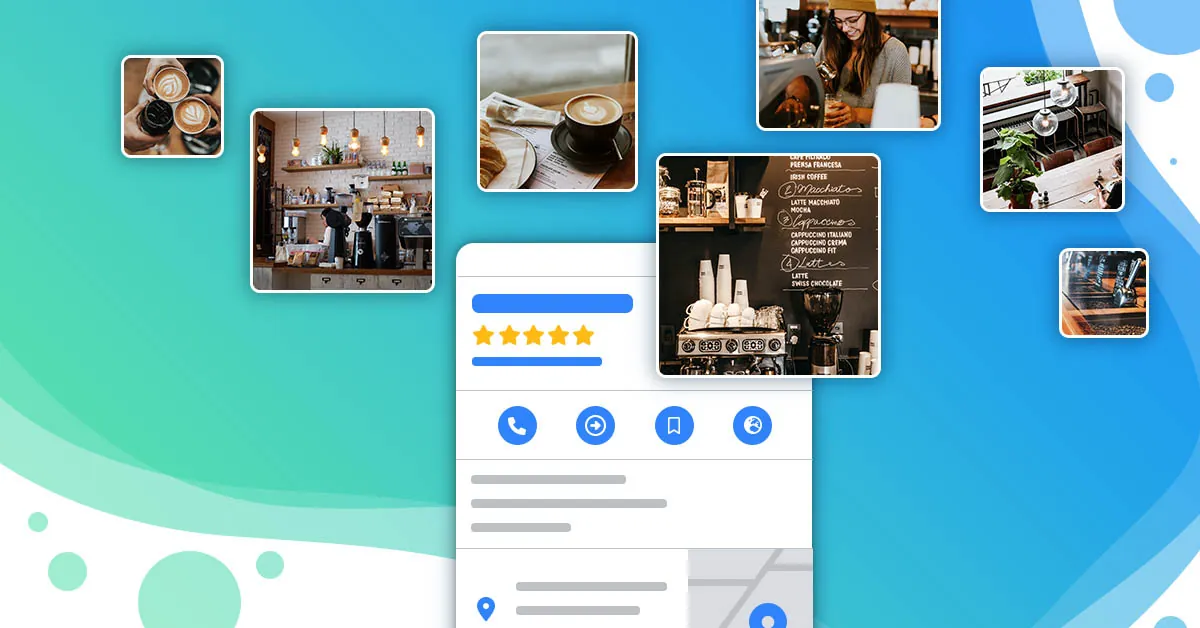
Why do photos/videos determine CTR & directions?
On Google Business Profile (GBP), users often look at photos before reading text. With just a few seconds of browsing, they will decide: call, ask for directions, text — or leave. Actual data from Local SEO campaigns shows that:
Profiles with real, new, multi-angle photos often have 20–40% higher CTR (click-through rate) in the Map/Local Pack section than profiles using low-quality photos or stock photos.
15–30 second videos record real experiences (process, space, before–after) helps increase directions/call requests thanks to trust and emotion.
A set of brand consistent photos (color, style) creates a professional impression, increasing "Prominence" (prominence) - a pillar of Local ranking.
This article is the actual playbook for you (and the store team) to take and choose – post converted standard photos/videos for GBP, according to 2025 standards. Includes technical standards, shot list by industry, file naming rules, 4-week posting schedule, checklist before uploading, with useful internal links compiled by Tan Phat Digital.
1) Technical standards: size, frame, sharpness, layout bureau
1.1 Recommended size & format
Photo: JPG/PNG, minimum 1200×900 px (4:3 or 3:2 ratio), safest with 2048×1536 px. Avoid photos under 800 px wide (blurred when zoomed in).
Video: MP4 (H.264), under 30–45 seconds, 1080p is enough; Moderate bitrate for easy upload, no need for 4K.
Optimized capacity: Each photo < 300 KB if possible (keeping quality), video < 50 MB. Compact capacity helps load quickly on 3G/4G (increasing full viewability).
Tip: Optimizing images before posting also helps landing page speed. See more: Optimize images for SEO and Core Web Vitals/loading speed.
1.2 Layout & lighting light
Natural light is always priority. Taken near the door, golden hours (7–9 a.m., 3–5 p.m.). If there is a lack of light, use a soft fill light, avoid strong shadows.
Horizontal camera angle (landscape) for spatial photos; vertical (portrait) for team portraits, close-ups of products.
Principle of 1 subject/photo: Clear frame, minimal background (clean up image trash: electrical wires, cardboard boxes, temporary signs).
Brand color: Try to put brand color (uniforms, nameplates, backdrop) in the frame to “identification stamp”.
1.3 “must-have” photo for all GBP records
Facade (day/night, with clear signs)
Inner space (reception/sitting/waiting area)
Team (looking into the lens, bright, uniform)
Key products/services (3–5 detailed close-ups)
Before–After (if applicable)
Actual customers (allowed)
Process (2–3 sequential photos)
Convenience Benefits (parking lot, clean restrooms, wifi, play corner...)
Certificate/certificate (hang neatly, bright)
Price list/incentives (clear, updated)
2) “Shot list” by industry: 20–30 sample shooting angles
Flexible application active; The goal is to tell a visual story: “what comes here, how to experience, why to trust”.
2.1 Spa/Clinic/Aesthetics
Spa exterior (day/night), reception desk, waiting area, treatment room (clean, warm).
Outstanding equipment (technology machines, tips new).
Team of technicians/doctors (blouse/uniform).
Before–After: skin care, hair removal, weight loss (approved).
5-step process (welcome - consultation - treatment - care - instructions).
Certificate, safety standards, sterilization of tools.
Utilities: parking, detox water, make-up area after treatment.
Video 15–30s: “A skin care session at [Spa Name] – District yes).
Before–After: whitening, porcelain veneers, orthodontics (approved).
Doctor portrait photo + short profile (nameplate in frame).
Listed price list, installment payment policy.
Video 15–30s: “Teeth whitening process in 30 minutes”.
2.3 Customers Hotel/Homestay
Exterior, lobby, reception desk, lounge.
Room categories (panorama + amenities details).
Clean bathroom, amenities.
Breakfast area, swimming pool, gym.
Road map, parking lot, surrounding landscape.
Video 20–30s: “Deluxe City View tour room”.
2.4 Restaurant/FnB
Front, sitting area, open bar/kitchen.
Signature dishes (close up, good lighting), set menu, drinks.
The moment guests dine (with consent).
Service staff staff, chef.
Promotions based on time frame/area.
Video 15–20s: “Lunch 69k – District details).
Cashier, return policy.
After-sales/warranty (photo illustrates the process).
Video 15–30s: “Quick unboxing of new products”.
2.6 Gym/Yoga/Studio
Reception desk, gym, locker.
PT/instructor, class is practicing.
New machines, free-weight area.
Class schedule/package price.
Video 15–20s: “1 minute warm-up + class atmosphere”.
2.7 Home services (SAB: cleaning, electricity, water, IT…)
Team, facilities, tools.
Actual case in the area (allowed).
Before–After: sofa, air conditioner, wooden floor.
Transparent price list by district/distance.
Video 15–30s: “Troubleshooting in 60 minutes".
3) Rules for naming files & describing images (optimized for local context)
3.1 Naming files
Suggested structure:loai_anh-ngu_canh-thuong_hieu-quan_huyen-tp_hcm-YYYYMM.jpg
Example (District spa 3):mat_tien-spa_toi_tan-tanphatspa-quan_3-tp_hcm-202503.jpg
separation.
Insert the locality element (district/district, “HCMC”).
Short, accurately describes the content.
3.2 Photo description (caption)
A short sentence stating the subject + context + call-to-action light.
Insert natural locality (District ministry
/2025-03/gbp/spa/Add subfolder:
mat-tien/,doi-ngu/,truc-sau/,quy-trinh/
This way helps you find quickly when you need to add/report report.
4) 4-week photo/video posting schedule (template applied immediately)
Goal: 3 photos/week + 1 video/week, rotating 5 content groups: Space – Team – Products/Services – Before–After – Experience/Process.
Week 1
Monday: Photos facade (day & night). Caption: directions + opening hours.
Wednesday: Photo of space (best corner). Caption: comfortable seating/waiting.
Friday: team photo (group portrait). Caption: expertise/experience.
Sunday: Video 15–20s “quick tour of the facility”.
Week 2
Second: Photo of key products/services (close up). Caption: benefits/USP.
Fourth: before–after photos (if any). Caption: description of safety procedures.
Friday: Photo of amenities (parking lot/wifi/children's area).
Sunday: 15–30s video “process/1 minute of operation”.
Week 3
Monday: Photo of case real(allowed). Caption: area/district.
Wednesday: Photo of price list/offers (clear). Caption: conditions apply.
Friday: Photo of certificate/merit. Caption: service standards.
Sunday: Video “What do customers say?” (short testimonials).
Week 4
Monday: Photo Visual Q&A (e.g. where is the parking lot?). Caption: detailed answer.
Wednesday: combo/upsell photo. Caption: suggested options.
Friday: Photo of team on shift (on-duty). Caption: service commitment.
Sunday: Video “before–after”/“room tour”/“behind the scenes”.
Suggestion: Coordinate to post GBP Post (Offer/Event/Update) at the same time to increase visibility. Refer to the overall roadmap: 14-day HCM Playbook.
5) Checklist for taking photos at the store (wall-mounted – easy mode)
Before shooting
☐ Clean/check the surface, clean the background (wires, boxes, side panels).
☐ Check light is bright enough, open all curtains/doors.
☐ Prepare uniforms, name tags, commercial props signal.
☐ Fully charge the phone/camera, clean the lens.
While shooting
☐ Each subject takes 3–4 angles, choose the best photo.
☐ Hold your hand firmly or use a mini tripod; Avoid shaking.
☐ Shoot horizontally & vertically for flexibility when posting.
☐ Don't digitally zoom — get closer or crop later.
After shooting
☐ Filter out blurry/low-light photos.
☐ Name files according to the rules (with locality/district).
☐ Lightly compress capacity (keep sharp).
☐ Save folders by month/content group.
When posting to GBP
☐ Prioritize real photos > design/stock photos.
☐ Caption short – clear – local.
☐ Add GBP post (Offer/Event) if appropriate.
☐ Respond to comments/Q&A associated with the photo (if any).
6) How to choose a “powerful” photo to increase conversions
A good photo for GBP should:
Tell the story (who, where, what is doing).
Educe trust (clean, have standards, have people).
Eliminate action (call, give directions, book an appointment).
Brand consistency (color, style, tone).
Suitable with search intent (arrive today? price? amenities?).
Quick 10-point filter (0/1 for each criterion):
Clear subject • Evenly lit • True color • No broken particles
Neat background • Has brand elements • Has people • Has geographical context method
Communicate USP • Evoke action
→ ≥8/10: post to GBP; ≤6/10: take again.
7) “Closing” video: 3 short formulas – easy to film – easy to watch
Formula A – “Tour 20 seconds”
3–4 scenes: facade → reception → space → signature service
Background music light, subtitle 1–2 lines/scene
Last CTA: “Press directions – open door 9:00–21:00”
Formula B – “Before–After 15 seconds”
2 before/after photos + 1 operation scene
OSD (text on video): “60 minutes/990k – District 3”
CTA: “Inbox to schedule today”
Formula C – “People & process 30 seconds”
Introduction of technician/doctor (name, years of experience)
2 standard operation scenes
1 sentence commitment, CTA “Quick call”
Note: Rotate vertically if TikTok/Shorts are preferred; Turn sideways if website/GBP priority is given. Keep even lighting, limit transitions too fast (eye strain).
8) Measurement & improvement process
GBP Performance:
Photo/video views • Calls • Directions • Text messages
Localized queries (District X, “near me”)
So Compare week/week to see which content group "gets the points"
GA4 (via UTM from GBP):
Sessions from GBP • Conversion rate (fill out form, call)
Landing page with new media vs. old (watch time, scroll)
4-week optimization loop:
Export top photos/videos with a lot of interaction
Retract patterns (angles, subjects, captions)
Replicate by shot list
Eliminate topics that “drop interaction”
9) Common mistakes (and how to avoid)
Stock photos: lack of trust, low engagement → Only use 100% real photos.
Post massively once then quit: the algorithm “forgets you” → Maintain a weekly rhythm.
No one in photo: emotionless → Alternate team/customer (allowed).
Lifeless caption: “Store image” → Local + benefits + CTA.
Heavy capacity: difficult to upload, slow to view → Proper compression, keep Sharpness.
Disturbed color & background: less professional → Clean up the frame, put brand color in.
10) Sample letter asking for permission to use customer's image (brief)
“Hello, your image today is very beautiful and clearly shows the effectiveness of your service. We would like your permission to use it. 1–2 photos/clips (no personal information) to post on Google/website as an illustration. Will you help me? Thank you!”
Keep the confirmation (message/consent) for safe use.
11) Included set of resources
4-week posting schedule template (Google Sheet): column Date – Subject – File – Caption – Person in charge – Status.
Shot Checklist (A4 wall-mounted): “10 photo quality points”.
Standard folder on Drive: Year/Month/GBP/Industry/Subject.
Light color preset for phone photos (keep true color, increase brightness 10–15%).
Photos and videos are not just “decorations” for your Google Business Profile — they are conversion levers: helping customers see – believe – act faster. When you maintain a set of real, fresh photos, with people and stories, with a regular posting schedule and measurement every week, Map Pack will "favor" to display your profile more often, and customers will be easier to click Call/Directions.
If you need:
Deeply customizable shot list by industry more,
90-minute training session for store staff (shoot – film – choose – post),
Preset set + bank caption by locality/district,
Dashboard measuring GBP + GA4,
team Tan Phat Digital is ready to accompany you so that your photos/videos actually generate sales — not just views.
Share