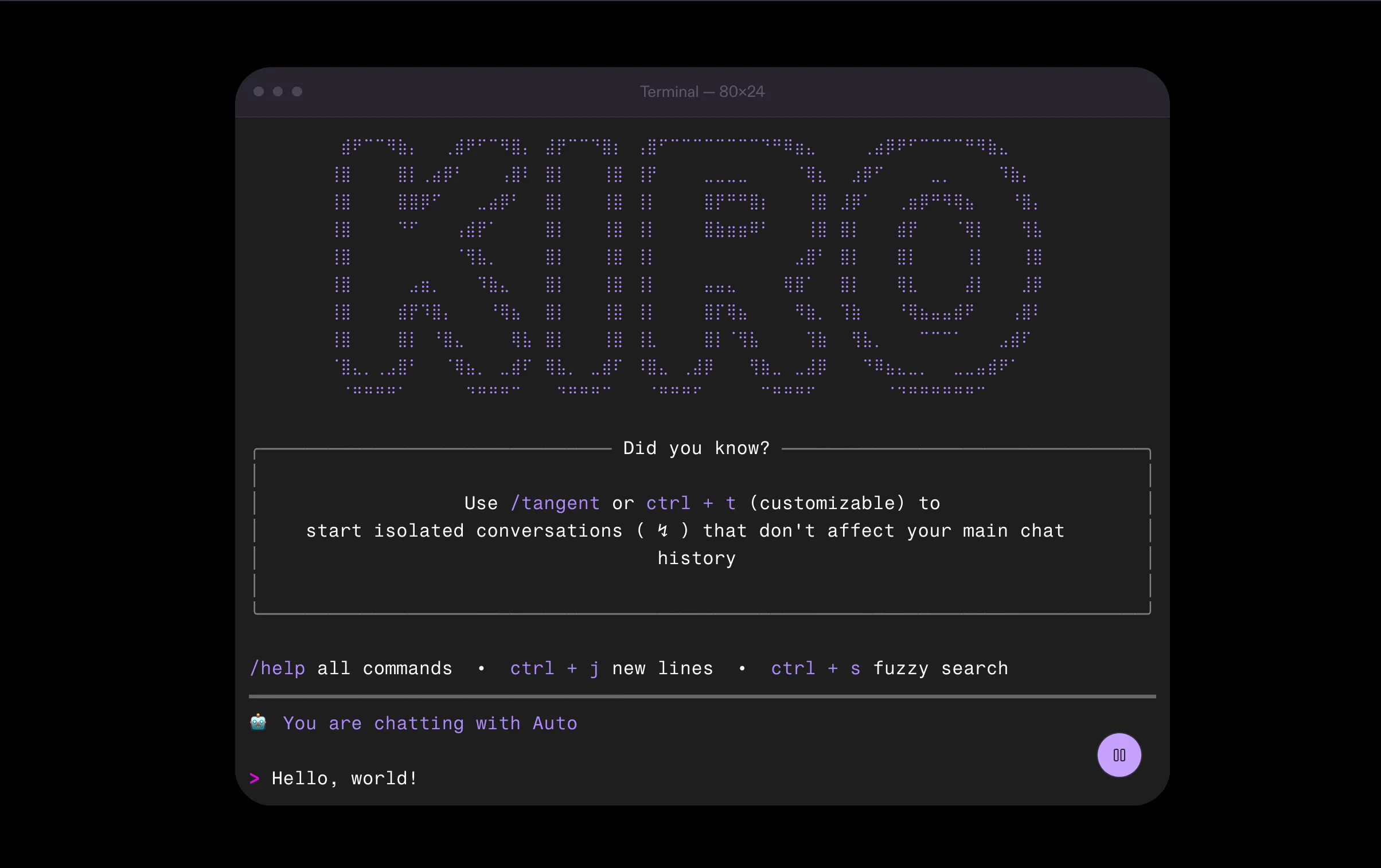
What is Kiro AI?
Kiro (also known as Kiro AI IDE) is a new generation integrated development environment (IDE) developed by Amazon Web Services (AWS), launching around July 2025. This is an "agentic AI" tool that works automatically, not only suggesting line-by-line code but also receiving requests in natural language, analyzing to create technical design documents, dividing tasks and writing code across multiple files. The core philosophy is "spec-driven development", which helps minimize chaos from "vibe" coding, ensuring software is built with structure, is easy to maintain, and has clear documentation from the start. Kiro acts as a "sub-programmer" in the code editor, synchronizing ideas, designs, tasks, and final source code.
Free version (Kiro Free)
Cost: $0/month.
Credits: New users receive 500 bonus credits (valid for 30 days). After that, receive 50 credits per month (not cumulative, excess credits do not carry over to the next month).
Suitable: For individual programmers, students, or testing basic features on small projects.
Limitations: Credits are used for AI tasks such as code generation or integration. Complex requirements consume more credits. Data in the free plan can be used to improve the service. No more waiting lists, everyone can access immediately.
To check pricing details, visit https://kiro.dev/pricing
Free Kiro installation guide
Simple and fast installation process on any platform platform.
Installer download: Go to the official page https://kiro.dev. The website will automatically detect your operating system (Windows, macOS or Linux) and recommend the appropriate version. Click the download button.
Run the installer:
Windows: Open the downloaded .exe file and follow the on-screen instructions.
macOS: Open the .dmg file and drag the Kiro icon to the Applications folder.
Linux: Follow instructions for the download file format (e.g. .deb for Debian/Ubuntu or .rpm for Fedora/CentOS).
Sign in and complete setup: Open the Kiro app after installation. You will be asked to sign in with your Google, GitHub, or AWS account to authenticate and sync your experience. On first startup, Kiro will ask if you want to import settings, themes, and extensions from existing VS Code – this is recommended to get a familiar workspace without reinstalling.
Migrate from VS Code (optional): Use the one-click migration feature to import extensions and settings from VS Code.
After signing up, you'll automatically receive 500 free credits fee, real-time usage tracking.
Free Kiro basic user guide
After installation, start Kiro and select "Open a project" to open your codebase folder. The interface is similar to VS Code but has a separate AI section.
Access the Kiro dashboard: Click the Kiro icon (ghost) on the Activity Bar (left bar). This panel opens with tabs such as:
Specs: Define feature requirements and manage AI plans.
Hooks: Set up automation rules.
Steering: Define project standards in the .kiro/steering/ directory in natural language as Markdown.
main:Create request in natural language: In the Specs tab, enter a command like "Create API endpoint to register user with email and password, require password to be at least 8 characters". Kiro will automatically plan, design and create code across multiple files.
Review and approve: Use Editor to check changes; Kiro can debug itself and suggest fixes if it fails.
Quick chat mode (vibe coding): Used for explanations or small code, for example: "Explain how this code works" and attach files via the # icon.
Working mode: Kiro has two main modes – Vibe code (chat first then build) and Spec-based (create requirements documents requirements, designs, detailed tasks to build).
Effective Usage Tips:
Spend the first 5 minutes "teaching" Kiro about the project by setting up rules in Steering.
Credit tracking: Simple tasks like chat interactions consume little, while creating complex specifications or using Auto Agent costs more (e.g. Auto Agent 1X, Claude Sonnet 1.3X model).
Free core features include specification generation, technical design, task orchestration, code integration, and cross-platform support.
If you need more detailed instructions or a hands-on tutorial, you can refer to the official documentation at https://kiro.dev/docs/ or instructional videos on TikTok/Twitter.
Main features comparison
Below is a comparison table of outstanding features:
1. Development Methodology
Kiro AI:
Spec-driven Development: Focus on standard process: Natural language $\rightarrow$ Requirements specification $\rightarrow$ Architectural design $\rightarrow$ Task division $\rightarrow$ Code.
Outstanding features: Agent automatically corrects errors, powerful CLI integration for Terminal.
Automation: Has a Hooks system (for example, automatically updates documents when saving files) and supports Multimodal (read and understand UI design images to convert into code).
Cursor:
Vibe Coding: Prioritize a smooth code typing experience with AI suggestions real-time (Autocomplete Tab).
Outstanding features: Deep understanding of the entire codebase, support for Debug Mode, AI Code Review and integration of diverse models (OpenAI, Anthropic, Gemini).
Experiments: Supports Mixed precision training and CLI runner for research/testing projects.
2. Integration & Compatibility
Kiro AI:
Ecosystem: Fully compatible with VS Code (Open VSX plugin, theme).
Connectivity: Integrates Git, MCP (Model Context Protocol) to access internal docs, database, API outside.
Customization: Use Steering Files for users to define the AI's behavior and programming style as desired. Works flexibly on Local, SSH and Terminal.
Cursor:
Platform: Built directly on VS Code, deeply integrated with GitHub and Slack.
Enterprise: Provides in-depth management tools such as Enterprise insights, Billing groups and Security controls. secret).
3. AI Performance
Kiro AI:
Model: Use Claude Sonnet 4.5 or Auto Mode (automatically mix models to optimize quality, speed and cost).
Agentic: Autopilot mode allows Agent to automatically perform large tasks and manage language Intelligent context for extremely complex projects.
Cursor:
Speed: The "Tab" model uses MoE (Mixture of Experts) techniques to help respond 1.5 times faster.
Quality: Despite giving 21% fewer suggestions, the rate Code acceptance (acceptance rate) is 28% higher. Supports Multi-agent judging mechanism (multiple AIs evaluate at the same time) and Instant Grep for fast searching.
4. Debug & Maintenance
Kiro AI:
Diagnostics: Automatically detect syntax errors (Syntax), type errors (Type) and semantic errors (Semantic).
Utilities: Display code changes (Diff) in real time and automatically write Commit messages based on the actual change content reality.
Cursor:
Debugging process: Provides specialized modes including Debug Mode (find errors), Plan Mode (plan modifications) and AI Code Review to ensure source code quality before publishing.
Cursor excels than in traditional autocomplete and real-time suggestions, while Kiro is strong in large project automation and code structuring (e.g. automated test generation, but users may need to write tests manually in basic mode).
Price
Kiro: Free version with 500 credits initially (50 credits/month after), suitable for small projects. The paid version (Pro/Enterprise) offers advanced features, but pricing details are not clearly announced on the official site. Credits go towards AI tasks, and free data can be used to improve the service.
Cursor: There is also a free and premium version with more advanced AI features. There are no specific pricing details, but the model is similar to Kiro, with a focus on subscriptions for businesses.
Both have a freemium model, but Kiro can be more expensive for complex tasks due to credit-based pricing.
Pros and cons
Kiro:
Pros: 10x speedup for developers thanks to agentic workflow, consistent Enterprises with high security, strong automation (hooks, specs). Ideal for large projects, from prototype to production.
Cons: Less flexibility for personal coding, may require spec-driven learning time, and poorer performance on autocomplete compared to Cursor.
Cursor:
Pros: Easy to use, quick to get started, integrates seamlessly with familiar VS Code. Trusted by millions of developers and more than half of the Fortune 500, strong in vibe coding and multi-model support.
Cons: Less focused on large project structures, may lack deep automation like Kiro in enterprise.
If you are an individual programmer or need a quick tool for everyday coding, Cursor is a better choice thanks to its flexibility and superior autocomplete. In contrast, Kiro is more suitable for enterprise teams and complex projects that need clear structure and agentic automation. There is no absolute "best" tool – depending on your needs, you can try both as there are free versions.
Kiro and Cursor FAQ
Based on sources updated as of 2026, below are a collection of frequently asked questions (FAQs) about Kiro (AI IDE from AWS) and Cursor (AI IDE based on VS Code). I've categorized them by topic to make it easier to follow, focusing on price, installation, features, and comparisons.
General FAQs about Kiro
What is Kiro? Kiro is an agentic AI IDE from AWS, focused on spec-driven development, helping turn ideas into structured, automated code through hooks and steering files.
Kiro is free is there?There is a free version with an initial 500 bonus credits (expires 30 days), then 50 credits/month. Preview version is free, but Pro/Enterprise is coming soon.
Need an AWS account to use Kiro? No, sign in with Google, GitHub or AWS Builder ID.
How are credits consumed? Every prompt (vibe/spec mode, task execution, hooks) costs credits. Follow through the dashboard in the IDE.
What does Kiro support for businesses?MCP integration for custom agents, steering for team architecture, and automation hooks.
How to start your first project? Download the IDE, set up steering files, create specs in natural language, then assign tasks to agents.
General FAQs about Cursor
What is Cursor? Cursor is an AI IDE based on VS Code, focusing on vibe coding, real-time autocomplete, and codebase chat.
Is Cursor free? There is a basic free version; Pro $20/month, Ultra $200/month with advanced features like multi-model support.
How to ask questions about code? Select code, use Cmd+K to ask quick questions, or chat sidebar (Cmd+I) to interact.
How does Cursor handle privacy? Yes Privacy Mode does not save remote code; does not use infrastructure in China, and protects data through authentication.
Which models does Cursor support? Integrates OpenAI, Anthropic, Google; choose model for autocomplete and agent.
How to debug with Cursor? Use Cmd+L with codebase to ask "Is there a bug here?" or apply edits automatically.
FAQs about comparing Kiro vs Cursor
Main differences? Kiro is strong in spec-driven for large/enterprise projects (agentic automation, hooks); Cursor is better for fast personal coding (autocomplete, smooth chat).
Which tool is suitable for beginners? Cursor is easier to use thanks to the familiar VS Code interface; Kiro has a higher learning curve with spec mode.
Which tool is good for teams? Kiro with steering and MCP for team architecture; Cursor supports enterprises but is less structured.
About long-term costs? Kiro uses credits (can be expensive for complex tasks); Cursor subscription is more stable.
Agentic feature of Kiro AI IDE
Kiro, an IDE developed by AWS, stands out with its agentic AI feature - meaning AI acts as autonomous agents, capable of analyzing, planning and executing tasks independently, instead of just suggesting code line by line. This feature focuses on "spec-driven development", helping to convert natural language ideas into structured code, minimizing errors and increasing development speed by up to 10x. Below are details based on official documentation and updated to 2026.
How It Works
Agentic AI in Kiro acts as a "frontier agent" for software development:
Sandbox Environment: When assigning tasks, the agent creates an isolated sandbox environment, clones the repository, and analyzes codebase.
Analysis and Planning: Analyze requirements, define requirements, design architecture, and divide into sub-tasks with acceptance criteria.
Sub-Agent Coordination: Use specialized sub-agents – one for research/planning, one for coding, and one for validation/initial testing out.
Interactive: Ask for more information if unsure, learn from feedback (like code review) to apply to the next task.
Execute: Make changes, create pull requests (PR) with detailed explanations of decisions and changes.
Concurrent Running: Supports up to 10 parallel tasks, runs asynchronously.
Agents maintain persistent context across repositories and sessions, unlike session-based agents. It integrates with MCP (Model Context Protocol) to connect dedicated tools or internal systems.
Key Capabilities
Task Decomposition: Analyze goals into detailed tasks, recommend changes across multiple files (e.g. routes, services, tests, docs).
Multi-File Editing: Edit sync across multiple files, display diffs for review and approval.
Automate Hooks: Integrate hooks to automatically handle repetitive work like creating documents, updating tests, or enforcing project rules.
Context Learning and Retention: Learn from code reviews (e.g., apply error handling rules or name variables), and use web search, knowledge Know in advance to answer intelligently.
Team Integration: Work across repositories (e.g. upgrade libraries across 15 microservices), connect to GitHub, Jira, Slack, Confluence to get context from issues, PRs, or discussions.
Execution Mode: "Autopilot" (automatic execution, interruptible) and "Supervised" (pause each steps to review).
AI Models: Use advanced models from Amazon Bedrock (such as Anthropic Claude, Amazon Nova), supporting enterprise security such as VPC endpoints.
Agent supports custom environments: DevFiles/Dockerfiles detection, network access configuration (from restricted to open), environment variables, and encryption secrets.
Workflow
Capture Intent: User describes in natural language (e.g. "Create a refund workflow for the application application").
Create Spec: Agent generates Markdown files like requirements.md, design.md, tasks.md with acceptance criteria.
Divide Tasks: List tasks and proposed file changes.
Execute and Review: Apply changes, show diff for approval/rejection; Integrate hooks to automatically update.
Management Integration: Don't ignore PR, code owners, or CI/CD; prepare for change but retain human control.
This process ensures structure, ease of tracking, and adherence to the SDLC (Software Development Life Cycle) process.
Usage Example
Library Upgrade: One-time task description; agent analyzes library usage, updates sample code, runs tests, and opens PR across multiple repos.
Feature Deployment: For example, deploy refund workflow – agent applies error handling templates from previous reviews, updates docs/tests automatically via hooks.
Team Development: Process work in parallel via repo, integrate updates from Confluence or Slack to keep consistent.
Assign Tasks From GitHub: Add label "kiro" or mention "/kiro" in issue; agent gets context from comment and executes.
Integration with Other Features
Specs: Agent uses specs to guide execution, ensuring changes match original requirements.
Steering: Customize AI behavior via steering file (project rules in natural language course).
Hooks: Integration for automation (e.g. generating docs when saving files).
Chat Agentic: Communicate via chat to discuss approaches before implementation.
Third Party Tools: Connect to GitHub, Jira, Teams, Slack to get team context group.
Limitations and Risks
Preview Phase: Launch December 2025, limited weekly use; The team needs a waitlist.
Hallucination Risk: AI may suggest misleading designs; minimized by considering people, testing, and CI.
Learning Curve: Needs time to get used to spec-driven; not as flexible as traditional autocomplete.
Security: Risk of data if not configured correctly; supported by AWS but requires access control.
No Replacement of Humans: Still requires approval to avoid architectural errors; more suitable for repetitive tasks or large projects.
Specific Agentic Code and Workflow Examples in Kiro
Based on official documentation and practical guidance from 2025-2026, below are specific examples of how to use agentic features in Kiro AI IDE. Agentic here refers to AI operating autonomously as an "agent" to analyze, plan, and execute tasks, often through tools such as Specs, Hooks, Steering, and MCP (Model Context Protocol). I'll cover each type, with step-by-step procedures, descriptive examples, and code/config snippets if available.
1. Creating Features Through Specs (Spec-Driven Workflow)
Specs allow agents to parse natural language requirements into requirements documents, designs, and tasks, then execute automatically.
Step One Process:
Open the Kiro panel (ghost icon in the left bar), select the Specs tab, press "+" to create the spec new.
Enter a feature description in natural language.
Agent automatically generates requirements.md (requirements), design.md (design), and tasks.md (task).
Review and approve each task; agent executes, updates code across multiple files, and creates PRs if necessary.
Use Autopilot mode to let the agent run automatically, or Supervised to pause each step.
Specific Example: Build a 4x4 Tic-Tac-Toe Application
Description: "Build a 4x4 tic-tac-toe game using Python with a simple terminal interface, supports two players, detects wins in rows, columns, crosses, draws, and basic colors."
Analysis agent: Creates requirements (e.g. "WHEN player sets move, THE SYSTEM SHALL checks win/draw"), design (class structure, functions), and ~10 tasks (from grid setup to input processing).
Execution: Agent creates complete code (~200 lines), run tests automatically via hooks if configured.
There is no specific code snippet from the docs, but the agent will generate Python code like a console game with functions like check_win() and draw_board().
Other Example: Mandelbrot Set App
Description: "Build a web app that displays the Mandelbrot set with zoom and split-screen Julia set based on cursor position."
Agent creates >25 tasks, from HTML setup to fractal calculations, ensuring the code has the correct mathematical structure.
2. Automation With Hooks (Event-Driven Agentic Automation)
Hooks allow agents to react to events (like saving files) to execute tasks automatically.
Step One Process:
Open the Kiro panel, select the Hooks tab, press "+" to create a new hook.
Define the event (when: fileEdited, fileSaved, etc.), pattern file (GLOB like "**/*.ts"), and action (then: askAgent with natural language prompt).
Save the hook as a .kiro.hook file in the .kiro/hooks directory.
The agent fires automatically when the event occurs, executes the prompt, and applies changes change.
Specific Example: Update Test for TypeScript File
Hook description: "When editing TypeScript file, parse changes and update test file corresponding to test for new function/method."
Config Snippet (JSON in .kiro.hook):
JSON
{
  "name": "TypeScript Test Updater",
  "description": "Monitors changes to TypeScript source files and updates corresponding test files with tests for new functions or methods",
  "version": "1",
  "when": {
    "type": "fileEdited",
    "patterns": [
      "**/*.ts",
      "!**/*.test.ts",
      "!**/*.spec.ts",
      "!**/node_modules/**"
    ]
  },
  "then": {
    "type": "askAgent",
    "prompt": "I noticed you've edited a TypeScript file. I'll analyze the changes and update the corresponding test file.\n1. First, I'll identify any new functions or methods added to the source file\n2. Then I'll locate or create the corresponding test file (either .test.ts or .spec.ts in the same directory)\n3. I'll generate appropriate test cases for the new functions/methods\n4. I'll ensure the tests follow the project's existing testing patterns and conventions\nHere are my suggested test updates based on your changes:"
  }
}
Result: When saving file.ts, agent creates/updates file.test.ts with test like describe('newFunction', () => { it('should return correct value', () => { ... }); });.
Other Example: Python Test Synchronization
Prompt hook: "Analyze changes in Python file, add tests for new functions to file test_*.py."
Pattern: ".py" (exclude "test_.py").
Agent uses pytest or unittest to add test functions/classes.
Example: Sync TypeScript API Documents
Prompt: "Monitor TypeScript files, update docs/api/ with changes to endpoint, param, response."
Pattern: "**/.ts, **/.tsx".
3. Context Management With Steering and MCP (Context-Aware Agentic Tasks)
Steering provides long-term project rules for the agent, while MCP allows the agent to access external tools (like web search) to support tasks like upgrading libraries.
Step One Procedure (Steering):
Open the Steering tab, press "+" to create a new file in .kiro/steering/.
Define inclusion patterns and Markdown content (rules like "Use TypeScript generics for generic functions").
Agent automatically loads steering when matching files.
Snippet Steering Example:
Markdown
---
inclusion: fileMatch
fileMatchPattern: "analysis/**/*.py"
---
# Custom Standards
- Always use type hints for functions.
- Follow PEP 8 style guide.
- Include docstrings for all public methods.
MCP Process:
Configure MCP servers in the config file (JSON).
In the prompt, reference MCP with # [tool] (e.g. "# [fetch] Find migration guide for React 18").
Agent used to gather information for the task service.
MCP Config Example (Library Upgrade):
JSON
{
  "mcpServers": {
    "web-search": {
      "command": "uvx",
      "args": ["mcp-server-brave-search"],
      "env": {
        "BRAVE_API_KEY": "your-api-key-here"
      },
      "disabled": false,
      "autoApprove": ["search"]
    }
  }
}
Workflow: Description "Upgrading React to 18", agent uses MCP search guide, analyzes changes, applies via specs/tasks.
4. Real Workflow Example (From Real Project)
Build a Portfolio Website With TanStack Start + React: Description "Create a portfolio site with project showcase, blog, contact." Agent creates specs, structural scaffold, uses MCP to scrape data from individual links, implements routing/components. Time: ~4 hours, mostly automated, with editing via English prompt.
Open Source Contribution (Alchemy PR): Create detailed spec for TypeScript IaC feature (~8000 lines, 80% agent-generated). Agents process through sessions, using specs as "general truths" to avoid repeating errors.
Onboarding Spring Boot + Angular Project: Agents analyze codebase, create steering docs about architecture, answer questions about data flow, but need manual guidance for dependency conflicts.
Introduction to Model Context Protocol (MCP)
Model Context Protocol (MCP) is a standard open source is developed to connect AI applications with external systems, allowing AI to access data, tools, and processes securely and efficiently. MCP was introduced by Anthropic on November 25, 2024, to solve the problem of isolation of AI models from real data, often stuck in information silos or legacy systems. Instead of requiring custom integration for each data source, MCP provides a universal language that helps AIs like Claude or other tools communicate seamlessly with external data sources, thereby improving response quality and task execution.
MCP is designed as a "standard connection port" (similar to USB-C for AI), allowing secure two-way connections to be built between data sources and AI engines. In the context of Kiro AI IDE (developed by AWS), MCP extends Kiro's capabilities by connecting to specialized servers, helping AI agents access in-depth information such as AWS documents, enterprise databases or custom tools, thereby supporting more efficient software development.
Purpose and Benefits of MCP
The main purpose of MCP is to break down the barrier between AI and external data, helping AI not only think but and act based on the actual context. Benefits include:
Enhanced AI capabilities: AI can access real-time data, specialized tools (like search engines, calculators) and workflows, helping to handle more complex tasks, for example, analyzing data from multiple databases via chat or generating code from Figma designs.
Reduced development time: Instead of building integrations individually, developers only need to deploy MCP once to connect multiple sources.
Improved user experience: AI becomes smarter, for example, supporting personalization via connecting Google Calendar and Notion, or creating web applications from 3D designs in Blender.
Enterprise support: In Kiro, MCP helps integrate with internal systems such as GitHub, Slack or Postgres, enhances the software development process, reduces errors and increases speed up to 10x for agentic tasks.
Open and community: As open source, MCP encourages the community to build servers and clients, with companies such as Block, Apollo, Zed, Replit, Codeium and Sourcegraph already on board.
How MCP Works
MCP works based on the client-server model:
MCP Server: This is the party that provides data or tools. Developers build servers to expose data (eg local files, database) or tools (search, API). The server listens to requests from the client and returns secure data.
MCP Client: Is an AI application (such as Kiro or Claude) that connects to the server to send requests and receive responses. Bidirectional connectivity allows AI to maintain context across interactions.
Communication: Uses standard protocols (specification and open source SDK), supporting local or remote connections. The AI can call the tool via placeholder in the prompt, for example: "# [tool_name] query".
Processing: When the AI needs data, it sends a request via MCP; The server processes and returns, helping the AI integrate into the response without leaving the environment.
In Kiro, MCP integrates directly into the IDE panel:
Kiro acts as a client, connecting to the server to access the tool.
Users interact via chat or specs: Select the tool from the MCP servers tab, insert a placeholder into the prompt, and Kiro automatically calls server.
Key components from Anthropic include:
Open source specification and SDK (on GitHub).
Local server support in Claude Desktop app.
Available open source server repository (e.g. Google Drive, Slack, GitHub, Git, Postgres, Puppeteer).
Features Main
Flexible Connection: Supports data (files, databases), tools (search, APIs) and workflows (specialized prompts).
Easy Integration: Quickstart guide to build a server in just a few minutes, with Claude 3.5 Sonnet supporting automation.
Business Support: Connect Connect to systems like AWS Documentation to search/read/recommend documents directly in Kiro.
Extensions: Create custom tools for specific workflows, e.g., integrate with Jira for issue management.
Integrate With AI: Work with models like Claude, allowing AI to maintain context across multiple tasks tools.
Security Aspects
MCP emphasizes security through:
Secure end-to-end connectivity, with access control (tokens, API keys).
Supports VPC endpoints in AWS to keep data internal.
Does not store unnecessary data; Exchange only when required.
In Kiro, check logs to debug errors such as connection failures or invalid keys.
Integrating MCP in Kiro: Detailed Steps
To integrate MCP into Kiro:
Prerequisites: Install the latest version of Kiro. For specific servers (like AWS Documentation), install additional dependencies according to the docs.
Configuration: Create a config file (usually JSON) in the .kiro/mcp/ directory. AWS Documentation server configuration example:
JSON
{ "mcpServers": { "aws-docs": { "command": "uvx", "args": ["mcp-server-aws-docs"], "env": { "AWS_REGION": "us-east-1" }, "disabled": false, "autoApprove": ["search", "read"] } } }Enable: Open Settings (Cmd/Ctrl + ,), find "MCP" and enable support. Kiro will load the config automatically.
Usage: In the Kiro panel, the MCP servers tab displays the connected server, status, and tools. Click the tool to insert a prompt placeholder into the chat, for example: "# [search-aws-docs] Query about EC2 instances".
Troubleshooting: View logs via Output tab > "Kiro - MCP Logs". Resolve errors such as invalid keys or JSON syntax.
MCP Usage Example
In Kiro for AWS Development: Connect to the AWS Documentation server. Prompt: "# [search-aws-docs] Best practices for S3 buckets". MCP returns a summary of the document, helping Kiro create code or specs based on it.
Business Integration: Connect GitHub server for AI to analyze repo, or Slack to get context from discussion, support agentic tasks like upgrading libraries across multiple microservices.
General Example: Build a personalized agent connecting Google Drive and Notion to manage schedules, or create 3D model in Blender and automatic printing.
Build a Custom Server: Use Claude to generate MCP server for internal database, for example, expose Postgres to AI querying sales data.
Detailed Real-Life Examples of Model Context Protocol (MCP)
Based on sources updated to 2026, below are more detailed real-life examples of MCP applications in various fields different areas. I focus on use cases from enterprise, AI development, and tool integration, including those related to coding or IDEs like Kiro. Examples taken from real-life articles, projects, and tutorials illustrate how MCP helps AI agents access external data, maintain context, and automate workflow.merge.dev
1. Intelligent Help Desk Support
Description: AI agent uses MCP to process ITSM (IT Service Management) requests. The user describes the issue via Slack (e.g., "I lost my device"), fills out the form, and the agent automatically creates a ticket in the project management system with details like issue description, affected employees, and priority.
Practical Application: Integrates with platforms like Siit to quickly handle device issues. MCP connects the agent to the project management tool's MCP server, allowing real-time context collection.
Benefits: Reduces ticket processing time, increases problem resolution efficiency.
Kiro/Coding Related: Can be extended to developer support, where the agent connects to GitHub MCP server to create issues from errors code.merge.devthenewstack.io
2. Recruiting Candidate Sourcing
Description: AI agent processes role requests (e.g., "Looking for a senior engineer in the Bay Area with infrastructure search experience"). The agent calls the ATS (Applicant Tracking System) MCP server to retrieve candidate data from similar roles, analyze interview progress to infer interests, and recommend top candidates from the internal database.
Practical Application: Used by Juicebox to automate personalized recruiting based on historical data.
Benefits: Improve hiring quality using context-based recommendations.
Kiro/Coding Related: Similar to how Kiro uses MCP to connect to GitHub, helping developer teams find programmers based on repo code.merge.devthenewstack.io
3. Negotiating Contracts with Suppliers (Vendor Negotiation in Procurement)
Description: AI agent handles contract renewals. When activating "Start Renewal", the agent calls the MCP server of ESP (Email Service Provider) and ERP (Enterprise Resource Planning) to retrieve historical emails and terms, analyze with negotiation best practices, make recommendations, monitor updates and compose emails.
Practical Application: BRM uses "Negotiation Agent" to support the finance team in optimizing terms vendor.
Benefits: Provide timely, context-based recommendations for cost savings.
Kiro/Coding Related: In Kiro, MCP can connect to QuickBooks MCP server to automate project cost management soft.merge.dev
4. Financial Analyst Automation
Description: AI agent processes accounting data (for example, classifying accounts into categories such as Revenue). The agent calls the ERP's MCP server to get historical data, detect patterns, and propose mappings for users to accept or reject.
Practical Application: Aleph AI is used to clean and organize data in spreadsheets or FP&A (Financial Planning & Analysis) products.
Benefits: Automate repetitive work based on calendar templates history.
Kiro/Coding Related: The "MCP Powered Financial Analyst" project from Analytics Vidhya uses MCP for LLMs to access real-time financial data, which can be integrated into Kiro for project budget management dev.merge.devanalyticsvidhya.com
5. Integration with Computer Vision (Computer Vision Use Cases)
Description: MCP connects the server to an image detection system (such as Ultralytics YOLO) to save detections to the database, then AI agent analyzes to create a response. For example: Agent web scraping, sending email/Slack, scheduling meetings based on inbox/calendar data.
Practical Application: In the Ultralytics tutorial, MCP supports workflows such as detecting errors via GitHub, creating tickets, implementing code and notifying Slack. Applies to medical (medical imaging) or robotics.
Benefits: Improved model performance with better context, reduced hallucination.
Kiro/Coding Related: Integrates with Kiro for multimodal processing agents (e.g. analyzing UI design from Figma images).youtube.com@ultralytics
6. Multi-Agent Deep Researcher
Description: Uses CrewAI for orchestrate, LinkUp for deep search, and phi3 model (Ollama) for synthesis. Three agents: Web Searcher, Research Analyst, Technical Writer – run sequentially to answer research questions.
Practical Application: Automated research system, API support via /research endpoint.
Benefits: Generate structured answers from distributed data.
Related to Kiro/Coding: Integration with Ollama for local inference, can be used in Kiro to research code or docs.analyticsvidhya.com
7. Cursor MCP Memory Extension
Description: Adds persistent memory to Cursor AI (IDE similar to Kiro), allowing LLM to keep context across sessions (e.g. recall code from previous session).
Practical Application: Improves context memory in coding copilot.
Benefits: Increase accuracy in long-term software development.
Related to Kiro/Coding: Directly related to IDEs such as Cursor; Kiro can similarly be applied to maintain steering and specs via MCP.analyticsvidhya.comiamdave.ai
8. Enterprise Integrations
Description: Salesforce uses MCP for Agentforce 3, with servers like Salesforce DX, Heroku, MuleSoft and Slack. For example, AI agent connects GitHub and Google Drive to automate code workflows.
Practical Application: Cloudflare uses MCP portals for security management; New Relic monitors MCP communication in Python apps.
Benefits: Secure and observe MCP connections in large organizations.
Kiro/Coding Related: Kiro (AWS) can integrate MCP with AWS services like Bedrock, similar to how Google uses Gemini and VS Code.
Effective user guide results from Tan Phat Digital
After installing from the kiro.dev homepage and logging in, you should take the following steps to optimize your experience:
Set up Steering: Spend the first 5 minutes "teaching" Kiro about your project through the Steering tab. This is where you define the core rules that keep the AI from writing "off-topic" code.
Using Specs: Don't just chat. Let's start by creating a Spec. Kiro will analyze and plan in detail, helping you save credits and avoid architectural errors.
Credit tracking: Tan Phat Digital note that using Auto Agent with high-end models (like Claude Sonnet 1.3X) will consume credits faster. Consider using the quick chat mode for simple questions.
Would you like Tan Phat Digital to assist you in writing a sample Steering file to immediately apply to your current project
Share