In the modern Technical SEO ecosystem, managing HTTP status codes, especially 404 (Not Found) errors, is no longer simply a technical maintenance task but has become a core component of a digital asset optimization strategy. At Tan Phat Digital, we realize that a website system operating on a large scale often faces content fluctuations: products are removed, categories are merged, or URL structures are changed to optimize keywords. Without a detailed strategic framework for handling resource not found requests, websites will face loss of link equity, wasted crawl budget, and severely degraded user experience. This report presents an in-depth analysis of the technical mechanisms, multi-layered audit process, and server-level enforcement solutions to turn 404 errors from a technical burden into an SEO structural strengthening opportunity.
Chapter I: Strategic Foundations and Technical Impact of 404 Errors
Understanding the nature of HTTP status codes is a prerequisite for making accurate navigation decisions. Status codes are the direct language of communication between web servers and agents such as browsers or Google search bots.
1.1. In-Depth Analysis of 404 Status Code and Differences with 410
Code 404 (Not Found) technically signals that the server received the request but could not find the resource at that URL. However, 404 is time-neutral; it does not specify whether the resource is temporarily or permanently missing. This results in Googlebot frequently returning to check the 404 URL over an extended period of time to see if the content reappears.
In contrast, the 410 (Gone) code provides a more definitive signal. It indicates that the resource has been intentionally deleted and will never return. Although the ranking difference between 404 and 410 is negligible, in terms of technical performance, the 410 code helps Googlebot de-index URLs faster and reduces the frequency of unnecessary crawl returns.
Technical Characteristics Between 404 and 410:
Credit Nature Symptoms:
Code 404 (Not Found): Resource not found (possibly temporary).
Code 410 (Gone): Resource has disappeared permanently (intentionally deleted).
Googlebot response:
Code 404 (Not Found): Continue trying many times in the future.
Code 410 (Gone): De-index faster and significantly reduce the frequency of re-crawls.
Preferred use:
Code 404 (Not Found): Applies to typographical errors or potentially recoverable content.
Code 410 (Gone): Applies for content that has been permanently removed or products that have stopped selling completely.
Impact on Crawl Budget:
Code 404 (Not Found): Can be wasteful if the bot returns to check too often.
Code 410 (Gone): More optimal because the bot understands lost resources and focuses on pages other.
1.2. Soft 404 Danger and Waste of System Resources
A serious technical risk that Tan Phat Digital regularly warns customers about is the "Soft 404" phenomenon. This is where the server returns a 200 OK (Success) status code for a page that contains no actual content or only displays an error message. This fools search engines, causing them to waste resources indexing worthless pages. Empty product category pages in e-commerce are the most common "culprit" that causes Soft 404s. Removing Soft 404s is a mandatory task to clean up the website structure and ensure Link Equity is not diluted.
Chapter II: The Comprehensive Impact of 404 Errors on SEO Performance
404 Errors are not just a small problem; it creates synergistic effects that weaken the authority of the entire domain.
2.1. Loss of Link Equity and PageRank Decline
Link Equity, or link authority value, is one of the most important ranking factors. When an external website links to a URL on your site that returns a 404, all of the authority that the link provides is lost. Implementing a 301 (Moved Permanently) redirect is the only mechanism to transfer most of this authority value to a new landing page with equivalent content.
2.2. Crawl Budget Interruptions
When a search bot encounters too many 404 errors, it will consider the website unstable. As a result, Googlebot will reduce the frequency of visits, resulting in new content being indexed more slowly. Thoroughly handling 404s helps bots focus resources on profitable pages and important target pages of the business.
2.3. Impact on User Experience and Behavioral Signals
Although Google claims 404s do not directly reduce overall page rankings, the indirect impact through user experience is undeniable. Users who encounter a 404 error will often immediately leave the website, increasing the bounce rate. These negative signals are recognized by Google and can lead to a decline in overall SERP rankings.
2.4. New Challenge: 404 Error in the AI Search Era (SGE)
According to the latest research, AI chatbots and Generative Search engines are three times more likely to lead users to broken links (404s) than traditional search engines. This often happens due to the "hallucination" phenomenon of the AI or because the training data is out of date. To maintain authority in the eyes of AI systems, optimizing 404 pages and ensuring important links always work are Tan Phat Digital's top priorities in 2026.
Chapter III: Professional Audit Process: Error Detection and Classification
Tan Phat Digital's remediation strategy is based on multi-source data from leading Technical SEO tools head.
3.1. Setting Up a Multi-Tier Monitoring Toolkit
Detecting 404 errors requires a combination of real data and bot simulation tools:
Google Search Console (GSC): Shows the URLs that Googlebot actually visited and received 404 codes.
Screaming Frog SEO Spider: Required tool for integrity checking of internal links, detect dead links before search bots find them.
Ahrefs/SEMrush Site Audit: Identify external backlinks pointing to 404 URLs to perform strength-preserving redirects.
3.2. Server Log Analysis (Log File Analysis)
This is the most advanced technical method. Unlike simulation tools, log files record 100% of every actual request Googlebot sends to the server. Through log analysis, experts at Tan Phat Digital can determine the frequency of bots accessing error pages and evaluate the waste of crawl budget most accurately.
3.3. 404 Error Fixing Priority Matrix
Based on audit data, we classify errors into a priority matrix:
Level P1 (Urgent):
Characteristics: URL 404 has quality backlinks from outside or has a large amount of traffic.
Action: Redirect 301 to the related page
Goal: Preserve Link Equity and maintain traffic flow.
Level P1 (Structure):
Characteristics: Errors in internal links (Broken Internal Links) in the website.
Action: Correct the link directly in the source code or CMS.
Goal: Ensure Link Juice circulates smoothly.
Level P2 (Hygiene):
Characteristics: Content is permanently deleted and has no important backlinks.
Action: Apply code 410 Gone.
Goal: Release Crawl Budget quickly quickly.
Level P3 (Ignore):
Characteristics: Random typing errors from users or spam traffic.
Action: Keep the 404 code intact.
Goal: Avoid creating noisy data in the administration system.
Chapter IV: Analysis Real Battle Scenarios and Handling Tactics
Depending on the origin of the URL, we apply different solutions:
URL with strong Backlink: Use Redirect 301 to redirect users and bots to the landing page with the most similar content.
Change URL structure: Set up Redirect 301 from old URL to new URL to inherit all accumulated rankings.
Category merging: Redirect 301 each old category to the new total category to protect the authority structure.
Internal Link errors: Fix directly in the source code to maintain a "clean" structure and reduce server latency.
Completely outdated content full: Use code 410 Gone to ask Google to remove the page from the index immediately.
Typo: Leave 404 as it is to avoid wasting resources on pointless redirects.
Product permanently out of stock: Apply code 410 Gone notification page suggesting alternative products.
Product temporarily out of stock: Keep the code 200 OK, display the message "Temporarily out of stock" to protect the index.
Error static resources (CSS/JS): Restore immediately to avoid "breaking" the interface when Googlebot renders page.
Errors due to website migration: Accurate 1:1 mapping of important URLs to recover organic revenue.
Chapter V: Technical Implementation at Server Level
At Tan Phat Digital, we prioritize performing redirects at the server level to ensure fast processing speed most.
5.1. Comparing Deployment on Apache and Nginx
Processing speed:
Nginx: Very fast because the configuration is loaded directly into RAM at startup.
Apache: Average because it has to scan the .htaccess file continuously on each request.
Flexibility Active:
Nginx: Lower, requires highest administrative rights (Root) to change.
Apache: Very high, allows editing configuration right in each folder.
Suitable for:
Nginx: Large e-commerce systems, websites with high traffic high.
Apache: Small to medium scale website, Shared Hosting environment.
Plugin Support:
Nginx: No automatic support from regular CMS plugins.
Apache: Good compatibility, plugins like WP Rocket can automatically update regularly process.
5.2. Mass Internal Link Correction: Mass Error Correction
For websites with thousands of broken links, we use SQL statements to update the database directly instead of fixing it manually. For example, with WordPress: UPDATE wp_posts SET post_content = REPLACE(post_content, 'url-cu.com', 'url-moi.com') WHERE post_content LIKE '%url-cu.com%'; This process cleans up the entire internal linking system in just a few seconds.
Chapter VI: Custom 404 Error Page Design
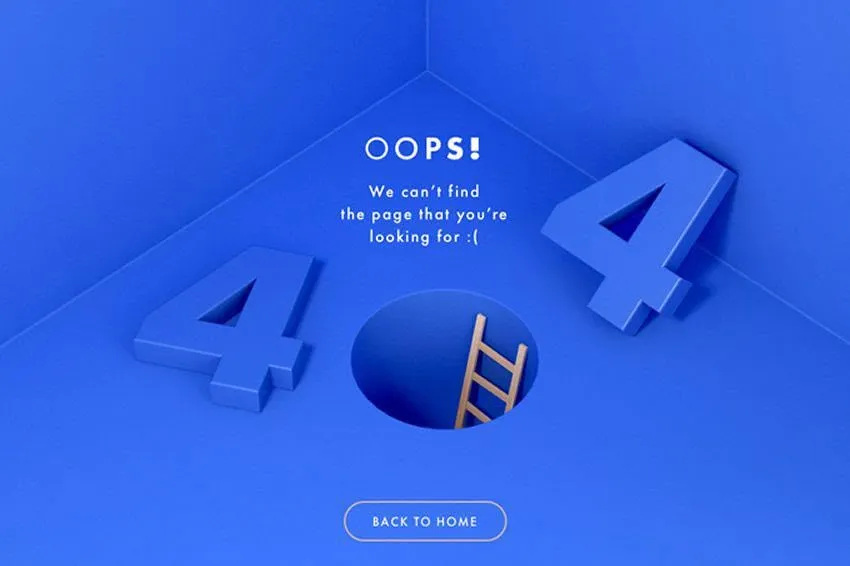
A A good 404 page should be a customer retention tool. Tan Phat Digital recommends the following elements:
Gentle, friendly error messages.
Maintain the main navigation menu so users don't get lost.
Add a search bar right in the middle of the page.
Suggest the most popular articles or products. Most importantly, make sure that even if the error page is beautifully personalized, the server must still return the correct 404 or 410 status code to avoid generating Soft 404s.
Chapter VII: Frequently Asked Questions (FAQ) About 404 Errors And SEO
Below is a summary of the 20 most important questions about 404 error management asked by our technical team. Tan Phat Digital answers based on Google's latest updates in 2026.
Does 404 error directly reduce website rankings? Not directly. Google considers 404s to be a normal part of the web. However, if the error URL has backlinks or traffic, you will lose Link Equity and indirectly decrease rankings.
How is code 410 different from code 404 in terms of SEO? 404 means "Not found" (possibly temporarily), while 410 means "Disappeared forever". Code 410 provides a more definitive signal that helps Googlebot de-index the page faster.
Should all 404 pages be redirected to the homepage? Absolutely not. Google considers this a "Soft 404", which conveys no SEO value and causes a bad user experience.
What is the transfer rate of SEO power through Redirect 301? About 90-99% of Link Equity value (PageRank) will be transferred if the landing page content is closely related.
Why are Soft 404s dangerous for large websites? Soft 404s waste Crawl Budget because Googlebot continues to crawl data from these empty pages instead of focusing on important pages.
How to know if a 404 URL is worth Redirect 301? Check 3 indicators: Does that URL have quality Backlinks pointing back? Is there Organic Traffic? Is there a significant historical ranking?
Between Nginx and Apache, which is the optimal choice for a system of 10,000+ redirects? Nginx is the superior choice because it uses Single-pass parsing mechanism (read configuration once), while Apache has to recursively scan the .htaccess file causing server delay.
How does SGE and AI Search affect to error 404? Research shows that AI chatbots lead users to broken links 3 times more often than traditional searches due to AI illusion phenomenon.
How should we handle products that are temporarily out of stock? Keep code 200 OK, display "Out of stock" label and "Notify when in stock" button to keep index and ranking.
For products that are permanently discontinued, what is the best option? Use code 410 Gone if there is no equivalent replacement product, or 301 Redirect to the parent category if that page has strong backlinks.
What is a Redirect Chain and why should it be avoided? It is when URL A -> B -> C. It dilutes Link Equity, increases page load time and can cause Googlebot to stop crawling midway.
What advantages does Log File analysis have over Google Search Console? Log File provides 100% real-time "Ground Truth" data about every bot request, while GSC only provides sampled data and has a 3-4 day delay.
Why should you fix Internal Link errors instead of just installing Redirect? Correcting internal links completely helps the website structure be cleaner, reduces load on the server and avoids creating unnecessary redirect chains.
Does 404 error waste Crawl Budget? Yes. If a bot continually hits 404 "dead ends", it will reduce the crawl frequency of the entire website.
How to fix 404 errors in bulk in WordPress database? Use the SQL statement
UPDATE wp_posts SET post_content = REPLACE(...)to find and replace error URLs directly in the database.What features should a custom 404 page have to retain users? It should have a search bar, main menu, list of suggested articles/products, and a return button to the home page.
Is it good to use Robots.txt to block 404 pages? No. If you block using Robots.txt, Google cannot see the 404/410 code to de-index that page, making the error page more persistent in search results.
What effect does a 404 error in a CSS/JS file have on SEO? This error prevents Googlebot from rendering the complete website, leading to an incorrect assessment of the website's layout and UX quality.
Is a backlink pointing to a 404 page harmful to the website? It's not harmful (no penalty), but it is a huge waste of resources. You are "throwing away" the power that other sites impart to you.
How often should you perform a 404 error audit? For small websites, once a quarter. For large e-commerce websites or after immigration, weekly monitoring via GSC and Log File is recommended.
Chapter VIII: Summary of 10 Real Combat Case Studies
Below are practical demonstrations of the effectiveness of 404 error management strategies implemented by leading technical experts.
8.1. Visit Seattle: Health Recovery Website Increases 850%
Visit Seattle travel website suffered a serious traffic decrease after the Core Update. Through audit, it was discovered that the system was "bloated" (site bloat) with tens of thousands of 404 errors and 58,785 other technical errors.
Action: Prune 70% of pages (from 8,466 to 2,535 pages), thoroughly handle 404s and redirect chains in 8 weeks.
Result: Website health score (Health Score) increased from 8 to 76 points (an increase of 850%), creating a solid foundation to regain keyword rankings.
8.2. Ecommerce Brand: Increase 283% Revenue Through 404 Processing
After redesigning the website, an e-commerce brand encountered a series of 404 and 302 errors that were not optimal.
Action: Analyze every 404 URL with backlinks or internal links pointing back, perform a 301 Redirect to the equivalent landing page.
Result: Organic revenue increased by 283% and traffic increased by 220% after only 9 months of implementation.
8.3. Visit Atlantic City: Increase Traffic by 661% Thanks to Domain Consolidation
This unit owns many satellite websites, causing dispersion of SEO power.
Action: Merge small websites into the main domain, use Redirect 301 to redirect all Link Equity from old 404 error pages.
Result: Organic traffic skyrocketed 661% over the same period last year thanks to centralizing domain authority.
8.4. NotFoundBot: 1,289% ROI From Saving 404 Traffic
Shopify stores typically lose 74% of customers as soon as they encounter a 404 error.
Action: Use AI to automatically determine user intent on the 404 page and redirect them to the correct product.
Result: Achieve ROI Monthly average of 1,289% for store owners thanks to converting error traffic into orders.
8.5. Quality Woven Labels: Increase Revenue by 118% After Migration
The website encountered a 33% drop in sessions after switching platforms due to copy-paste robots.txt and sitemap errors.
Action: Clean the sitemap, remove 404 and unindexed URLs, fix robots.txt configuration so bots can access normally again.
Result: Organic revenue increased by 118% and traffic recovered strongly after a few months of processing.
8.6. Hotel ERP: Increase Clicks 205% Through Removing Technical "Junk"
A hotel management system whose website contained a lot of thin content, plagiarism and a series of non-navigational 404 errors.
Action: Perform a comprehensive audit, remove worthless pages and redirect important 404 URLs.
Result: After 6 months, the number of organic clicks increased by 205.3% and revenue from conversions increased by 273%.
8.7. Soft 404 Disaster: Losing 40% of Traffic Due to Boilerplate Error
An e-commerce website changed its layout but accidentally added the words "no product available" to the source code.
Action: Google mistook a series of high-quality pages as Soft 404s and de-indexed 800,000 URLs (accounting for 50% website).
Fix: Remove the misleading code and submit a re-indexing request. It took the website many months to recover the lost traffic.
8.8. Hashmeta: Optimizing Crawl Budget Increases Traffic by 47%
Large websites waste 73% of their crawl budget on unprofitable pages and 4xx errors.
Action: Use log analysis to detect waste, block bots from entering redundant subfolders and fix 404s.
Results: Product page indexation rate increased from 62% to 94%, organic traffic increased 47% and revenue increased 31%.
8.9. 97th Floor: Increase Revenue by 25% in 30 Days
Google bot's e-commerce website focuses too much on old, outdated subfolders instead of new product pages.
Action: Analyze log files, detect 404 pages that are continuously being "visited" by bots, delete and redirect duplicate folders.
Result: Revenue increased by 25% in just 30 days thanks to the bot focusing on crawling pages with higher conversion potential.
8.10. Site Health Restoration: Reduce 99.9% of Technical Errors
A website was in chaos with 5,988 technical errors, mainly broken internal links (internal 4xx) and redirect chains.
Action: Replace all broken links with working links, clean the sitemap and synchronize the HTTPS protocol.
Result: Total errors decreased to 4 (99.9% reduction), health score increased from 73 to 89, helping Googlebot crawl information more easily.
Managing 404 errors is a continuous cycle custom. By combining Google Search Console monitoring, server log analysis, and accurate status code enforcement, businesses can firmly protect their SEO results.
The Golden Rules of Tan Phat Digital:
Use redirects.Adapt to AI: Focus on 404 page experience to take advantage of traffic from AI chatbots.
Don't let silent 404 errors weaken your website. Start your audit process today to optimize your digital assets for sustainability.
Share






