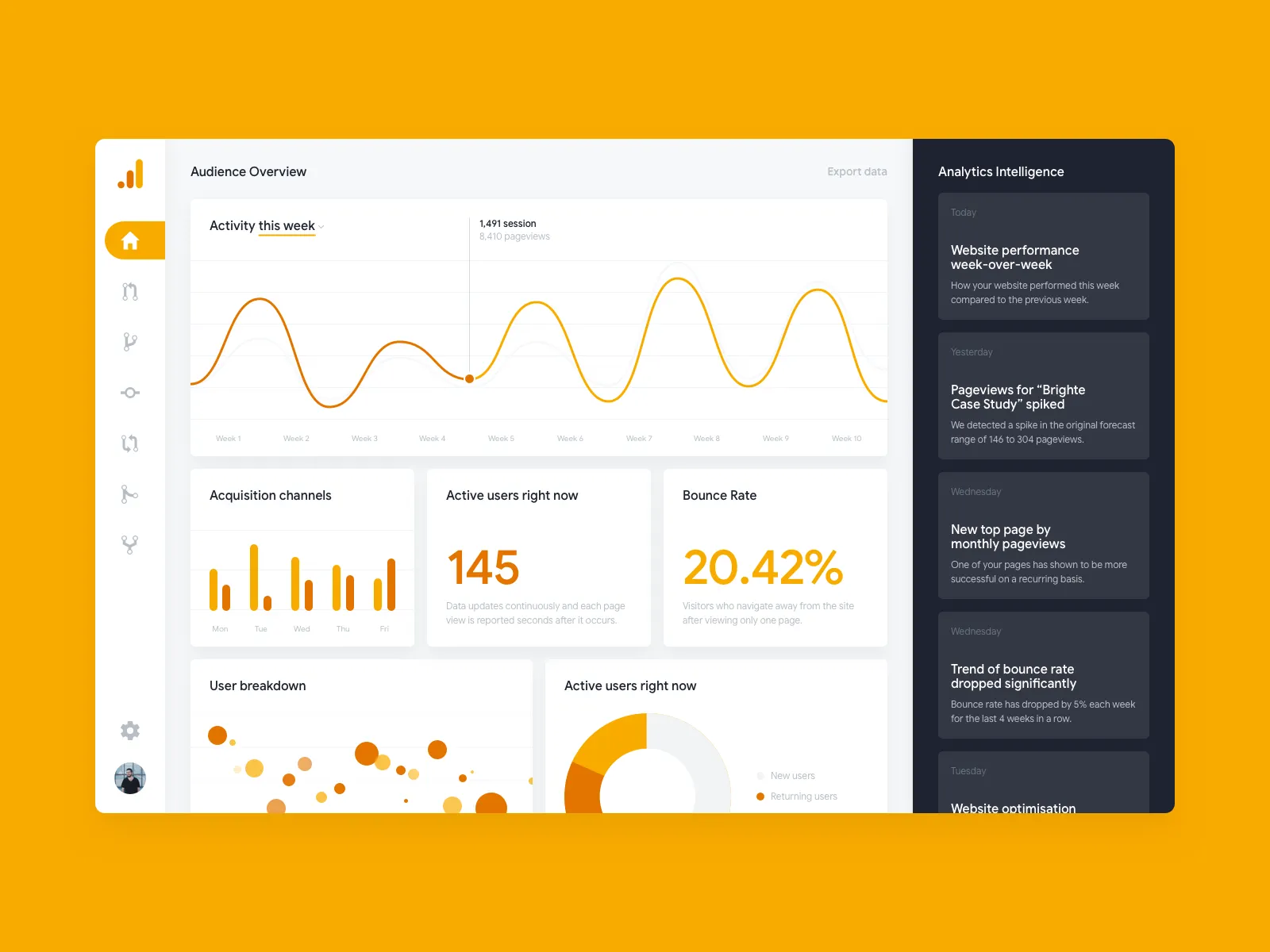
Website is one of the most important digital assets of a business in the digital age. However, just owning a website is not enough. For your website to truly bring business efficiency, you need to clearly understand how customers interact with your website: Where do they come from? What pages do they look at? How long do they stay on the website? Where do they leave?… If you don't measure and analyze website performance systematically, it will be very difficult for you to make optimal decisions and improve efficiency.
Fortunately, there is a free but extremely powerful tool from Google that can help you do this: Google Analytics. In this article, we will help you understand what Google Analytics is, how to simply install it, and especially how to analyze websites with Google Analytics to optimize website performance most effectively, thereby effectively supporting your SEO and marketing strategy.
Part 1: What is Google Analytics? Why Is Every Website Needed?
Google Analytics (GA) is a free web analytics service provided by Google. It allows you to track and report website traffic, gathering detailed information about user behavior on your website.
Why does every website need Google Analytics?
Understand user behavior: GA provides detailed data about how users interact with the website: where they click, where they scroll, how long they stay on each page long time...
Measure the effectiveness of marketing channels: You can know where customers come from (organic search, advertising, social networks, links from other websites...).
Measure SEO effectiveness: GA helps you track traffic from organic search, see which keywords are bringing traffic, and measure other important indicators such as bounce rate (Bounce Rate), time on page...
Track goals and conversions: You can set up goals (Goals) in GA to measure important actions that users take on the website (for example: filling out contact forms, making purchases, signing up for newsletters...).
Serves business strategy: Data from GA helps you make data-based decisions to Optimize content, improve user experience, adjust marketing strategy and increase revenue.
In short, Google Analytics for website is like a "dashboard" that helps you see the entire picture of website operations and make necessary adjustments.
Part 2: How to Install Google Analytics for Website
Installing Google Analytics for website is quite simple. simple. Here are the basic steps:
Sign up for a Google Analytics account:Go to the official Google Analytics website and register with your Google account.
Create a Property: After logging in, you need to create a Property for your website. Fill in the necessary information such as website name, URL, industry, time zone...
Get the tracking code: After creating the Property, you will receive a tracking code (Global Site Tag -
gtag.jsor Google Tag).Attach the tracking code to the website: You need to insert this code into the
section of all also the pages on your website that you want to track your website with Google Analytics.Simple way: If you use popular website platforms (WordPress, Shopify...), there are often plugins or settings options that allow you to paste the tracking code easily without needing to edit the code directly.
Manual way: Paste the code snippet between the
tag andof each HTML page.Using Google Tag Manager (GTM): GTM is a free tag management tool that allows you to install GA code and other tracking codes (like Facebook Pixel) easily without having to rely on a programmer to add a new code each time. This is the recommended way to optimize Google Analytics in the future.
Once installed, Google Analytics will begin collecting data within 24 hours.
Part 3: Basic Google Analytics Instructions
Once you have the data, you can start using Google Analytics to track and analyze Analytics:
Google Analytics interface: The main interface includes major reporting items: Realtime, Audience, Acquisition, Behavior, Conversions.
Important indicators to pay attention to:
Sessions: Number of visits to your website you.
Users: The number of unique users who visit the website.
Pageviews: The total number of page views on the website.
Avg. Session Duration:The average time a user stays on the website during a session.
Bounce Rate:The percentage of users who leave the website immediately after viewing just one page. A high bounce rate is often a sign that a website or page is not engaging.
Conversions:The number of times a user completed a goal you set up (e.g., made a purchase, filled out a form).
Simple way to create a report:
Acquisition > All Traffic > Channels: See where the traffic is coming from (Organic Search, Direct, Social, Referral...) application...).
Part 4: How to Analyze Website with Google Analytics to Optimize Performance
Data from Google Analytics is a "gold mine" to help you analyze your website with Google Analytics and make decisions to optimize performance:
Monitor user behavior to optimize content – UI/UX:
Use the "Behavior Flow" report to see the flow of users between pages. Identify the points where users bounce the most to improve the content or appearance there.
Check the "Bounce Rate" of each page. If a page has an unusually high bounce rate, reconsider the content, images, or calls to action (CTA).
Analyze traffic by source (Google, Facebook, Direct...):
Determine which channels are bringing quality traffic (long dwell time, low bounce rate, high conversion rate). Focus your investments on these effective channels.
Compare performance across channels to adjust your online marketing strategy.
Identify effective landing pages – improve conversions:
View the "Landing Pages" report to see which pages users visit first. Make sure these pages are optimized to retain users and lead them to other important pages.
Track the pages with the highest conversion rates and find ways to replicate the successful model.
Part 5: Google Analytics Optimization Tips for Small Businesses
To optimize Google Analytics and fully exploit the power of the tool These are especially useful for small businesses:
Set up Goals to measure conversions: Identify the key actions you want users to take (e.g. fill out a contact form, click a call button, download a document, view a specific page...). Setting up Goals in GA helps you track the number of times these actions are completed, thereby measuring the actual effectiveness of the website.
Segment settings to group users: Create segments to analyze the behavior of specific user groups (for example: users from mobile devices, users visiting from organic search, users from Ho Chi Minh City, users who viewed page A...). Segmentation helps you gain a deeper understanding of each customer group and come up with a more appropriate optimization strategy.
Use the Alert feature: Set up alerts to receive email notifications when there are significant changes in important metrics (e.g., sudden traffic drops, sharp increases/decreases in conversion rates). This helps you react promptly to fluctuations.
Google Analytics is not just a reporting tool - but a "map" that helps you understand your customers and optimize website performance day by day.
Mastering how to use Google Analytics is a key factor for you to optimize website performance and promote SEO - marketing effectiveness. Don't let your website operate "in the dark", start exploiting the power of data today!
👉 If you are a small business owner, have never used Google Analytics, or need in-depth support in analyzing and optimizing your website based on data, let Tan Phat Digital accompany you in the process of building an SEO-standard website and effectively exploiting data from this tool.
📞 Contact now: 0374225294
🌐 Website: https://tanphatdigital.com
Share